
How to get started with DealerPro
You can connect on your own — sign up on the site, the first month is free. If you'd rather work with a manager, leave a request: we'll show you the system and launch together.
Onboarding with a manager — four steps
You can connect on your own right away: “Try for free” — sign up on the site, the first month is free.
- 01
Request
Leave a request below or message us on WhatsApp. We'll call back and agree on a time for the demo.
- 02
Demo online or at our office
We'll show DealerPro on a demo dealership: a car's path from arrival to sale and a customer's path from the first message to the deal. Tell us what kinds of deals you do and where your cars come from — we'll discuss how to set the system up for you.
- 03
Preparation
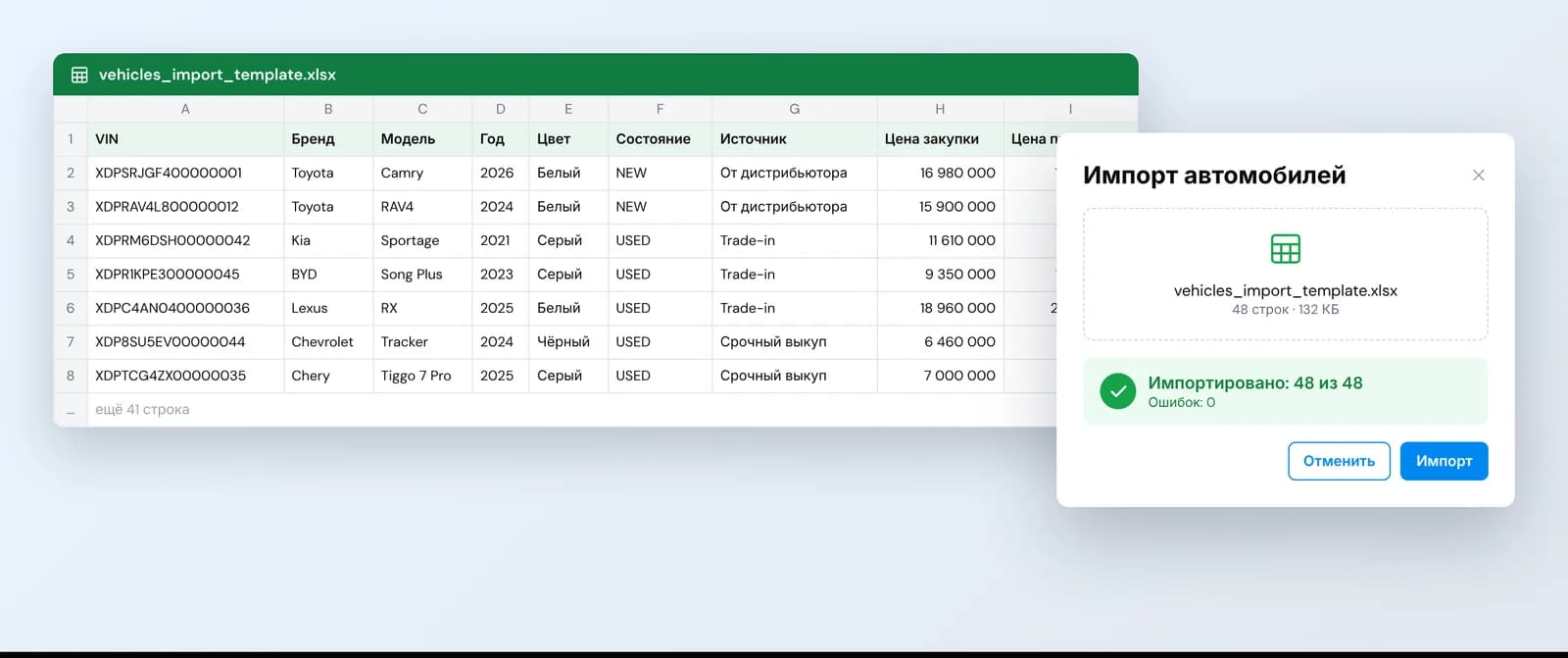
Enter your current cars into the Excel template. Choose a messenger service — ChatApp or Green API — and set up telephony with your operator: Kcell, Tele2 or Beeline.
- 04
Launch
The stock is loaded into the system, warehouses and deal stages are set up, and the team gets access. From that day on, leads and deals are handled in DealerPro.
To make the demo about your dealership
- A list of cars in stock — in any form, even a photo of a spreadsheet.
- How a deal goes at your dealership: which stages and documents.
- How many salespeople and lots you have.
What is paid directly to providers
We say this up front so there are no surprises later.
So that messages from WhatsApp, Telegram and Instagram Direct arrive in DealerPro
Who you pay
ChatApp, directly
So that messages from WhatsApp and Telegram arrive in DealerPro
Who you pay
Green API, directly, per number
So that calls create leads and are available from the card
Who you pay
The operator, directly
To learn a car's history before buying it or selling it
Who you pay
Per request
Uninterrupted operation of AI agents
Who you pay
Anthropic (Claude), OpenAI (ChatGPT), Google (Gemini), etc.
Messengers are connected through one of the services of your choice: ChatApp or Green API.
How much it costs
“Salon” — 39,000 ₸/month, “Autocenter” — 99,000 ₸/month, “Network” — individual pricing. The first month is free. Details are on the pricing page.
See pricingBook a demo
Contacts
- Phone+7 705 354 2477
- Emailinfo@dealerpro.kz
- AddressAlmaty, 24 Shashkin St., K Plaza Business Center, 5th floorOpen in 2GIS
- Mon–Fri 9:00–18:00