
How much you made on a car — visible on the day of sale
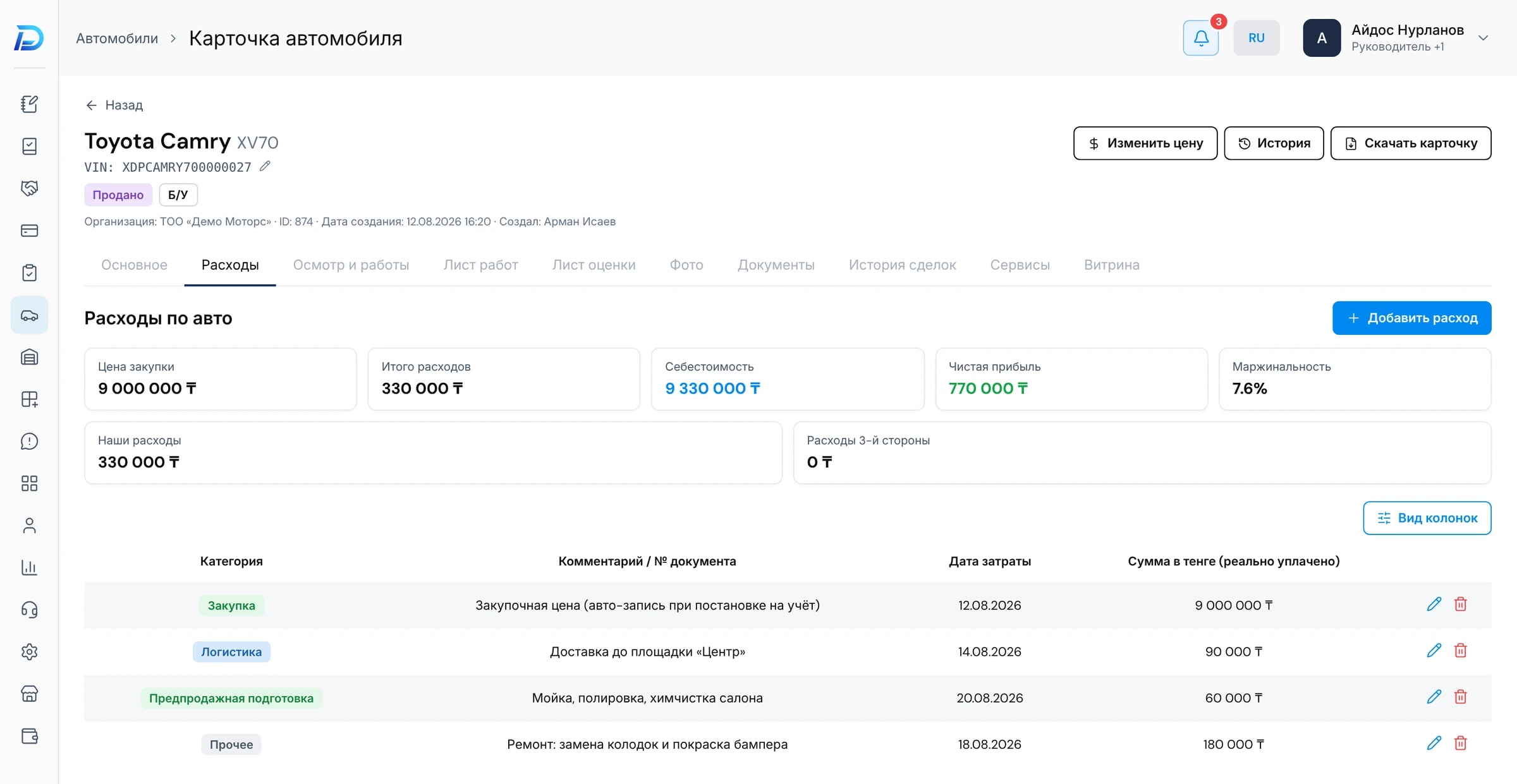
Repairs, pre-sale preparation, delivery — every expense is recorded against a specific car. Each car has a financial report: cost, expenses and margin.
To work out how much a car brought in, dealerships usually pull together the purchase, repair receipts, delivery and preparation bills at the end of the month. Some expenses get lost along the way, and a “profitable” car in fact breaks even. In DealerPro an expense is recorded against the car the moment it happens.
Expense — straight to the car
Repairs, pre-sale preparation, transportation and other expenses are linked to a specific car. No need to collect receipts at the end of the month.
A financial report for every car
Cost, expenses by category, sale price and margin — on one screen. You can see what each figure is made up of.
A price to start from
The average market price is calculated automatically. Next to the cost, it helps you decide what price to list the car at.
What the dealership makes money on
In reports you can compare margin by model and intake source — and see which cars bring in money and which only take up space on the lot.
Questions
Related sections
Vehicles and warehouses
Every car comes with its acquisition source, photos and documents. Sales points' warehouses, inspection from a phone, a PDF for the customer.
Learn moreReports and BI
Ready-made dealership reports and a builder where you can put together any report of your own.
Learn moreCommand Center and tasks
Dealership numbers, alerts about problems and tasks for the team — on one screen.
Learn moreFind out how much your cars really bring in
At the demo we'll go through a car's financial report on demo data — from purchase to margin.