
Everything about the customer — in one card
Contacts, documents, loan application details and the full communication history. The customer doesn't have to repeat the same things, and the salesperson doesn't have to dig through chats and folders.
A customer comes back a year later — to buy a new car or hand in the old one. Usually nobody remembers what they bought or what was agreed. In DealerPro the salesperson opens the card and sees it all: purchases, inquiries, documents the customer has already sent.
Contacts and documents
Phone numbers, messengers, copies of documents and personal details are stored in the customer card — not in a salesperson's phone gallery.
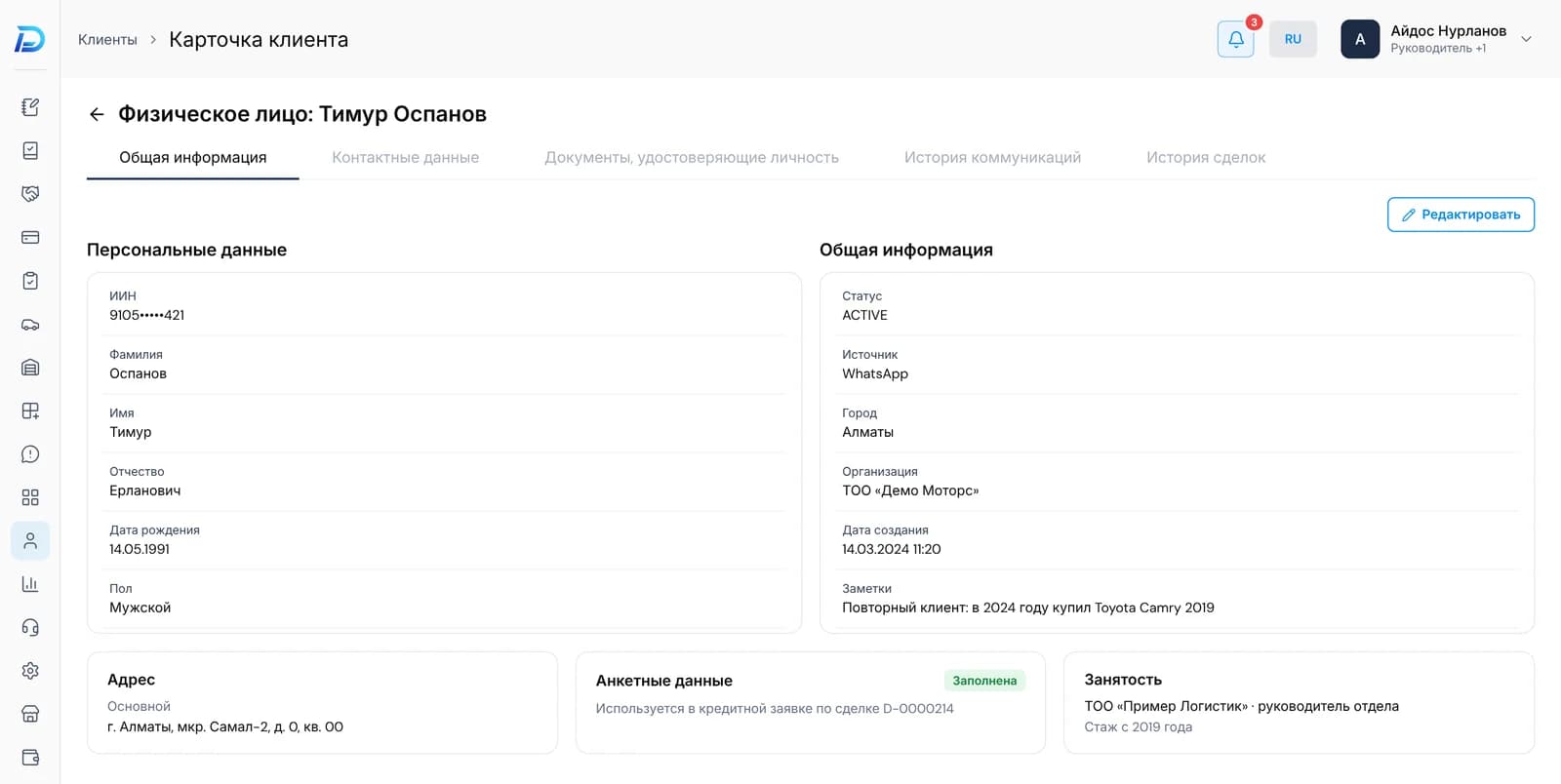
Loan application details — once
The data for a loan application is filled in once. When the application is sent from a deal, it's already there — the customer doesn't have to dictate everything again.
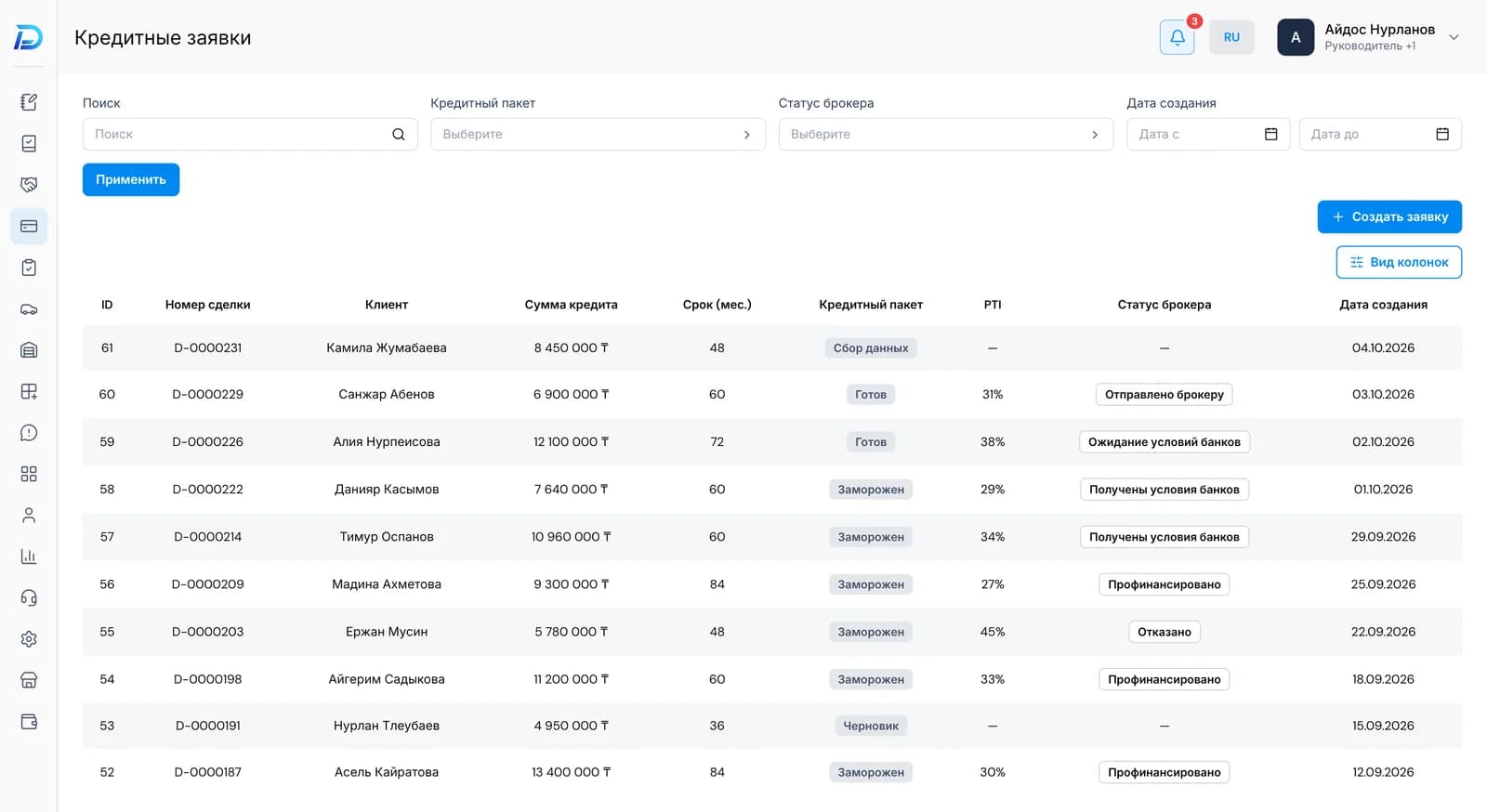
The whole history in order
Inquiries, deals and conversations — in chronological order. You can see which salespeople worked with the customer and how each conversation ended.
A base for campaigns
Customer cards are the basis for segments in the “Campaigns” section. You can write to exactly those who need the message, not to the whole base.
Questions
Related sections
Leads
Messages from WhatsApp, Telegram, Instagram and phone calls become leads automatically. Conversation history, tasks and the next step are all in one card.
Learn moreDeals
Sale, trade-in, consignment, import to order. Stages with checks, contracts from your own templates, a loan request straight from the card.
Learn moreCampaigns
Messages to selected customers: one-off, on a schedule, or when something happens with the customer.
Learn moreYour customer base — in one place
At the demo we'll open a customer card in the demo dealership and show how the history builds up in it — from the first message to the purchase.