
The manager's workspace: dealership figures and problem alerts
The key business metrics — on one screen. The system highlights risks and weak spots on its own, and you can assign a task on them right from the alert.
A manager doesn't need to collect reports from salespeople to understand how things are going. They open the Command Center and see the dealership's figures — and what needs attention right now. All that's left is to decide who will handle it.
Dealership metrics
The key business figures are on one screen and are built from what the team does in the system every day. No need to wait for a report at the end of the week.
Problem alerts
The Command Center highlights risks and weak spots — before they turn into lost deals and money.
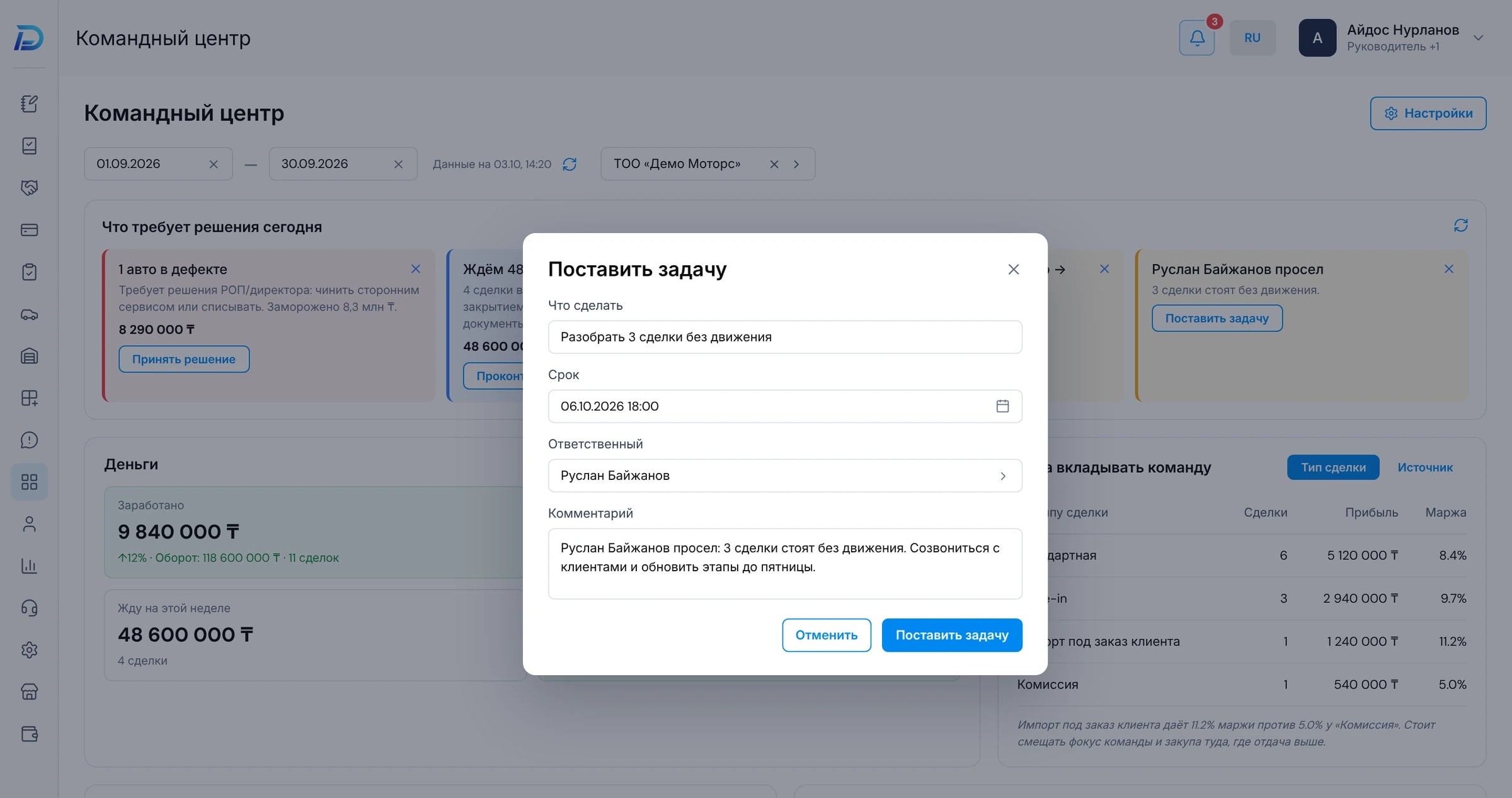
A task right from the alert
Spotted a problem — assign an owner and create a task without leaving the screen. Between “noticed” and “delegated” there is one step.
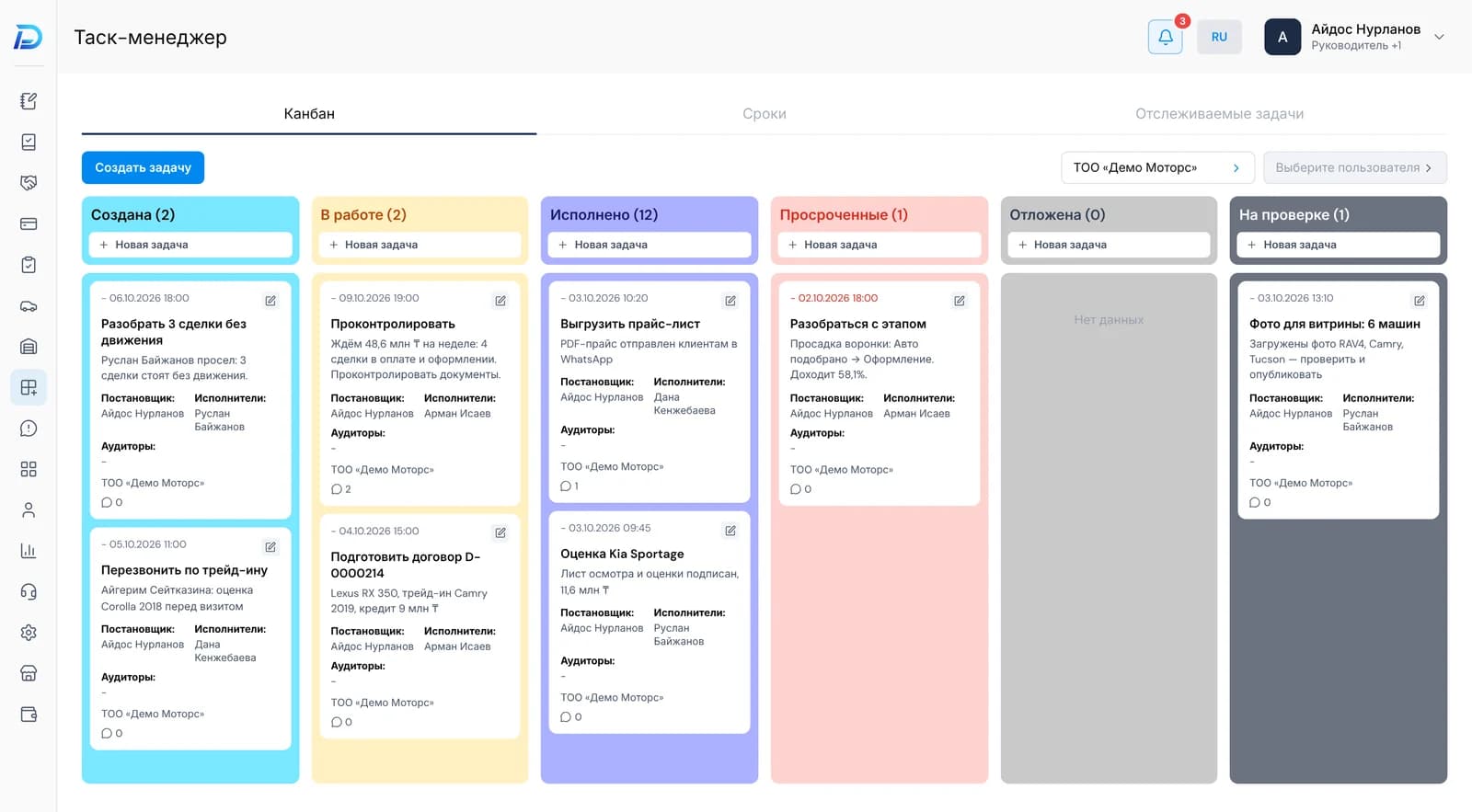
Tasks for yourself and the team
A simple task manager: tasks for yourself, colleagues and your reports. You can see what has been assigned and to whom — without separate chats and paper lists.
Questions
Related sections
Reports and BI
Ready-made dealership reports and a builder where you can put together any report of your own.
Learn moreCost and margin
Every expense is recorded against a specific car. Each one has a financial report with its margin.
Learn moreLeads
Messages from WhatsApp, Telegram, Instagram and phone calls become leads automatically. Conversation history, tasks and the next step are all in one card.
Learn moreLook at the dealership through a manager's eyes
At the demo we'll open the demo dealership's Command Center: which alerts it shows and how tasks come out of them.