
Every car — with its own history, photos and documents
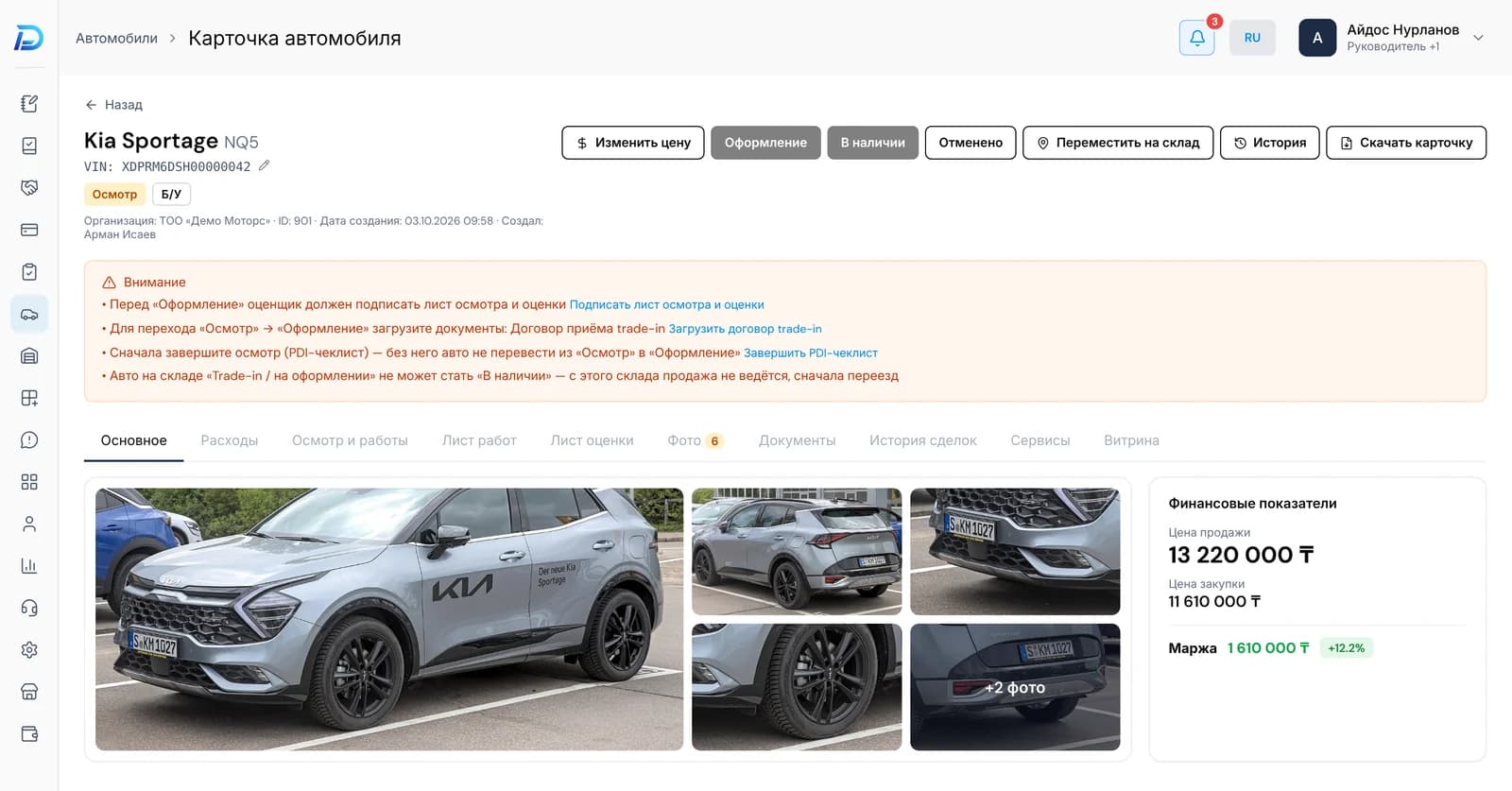
The system knows where the car came from, which warehouse it's in and what is happening with it now. Moving it to an unsuitable status isn't possible.
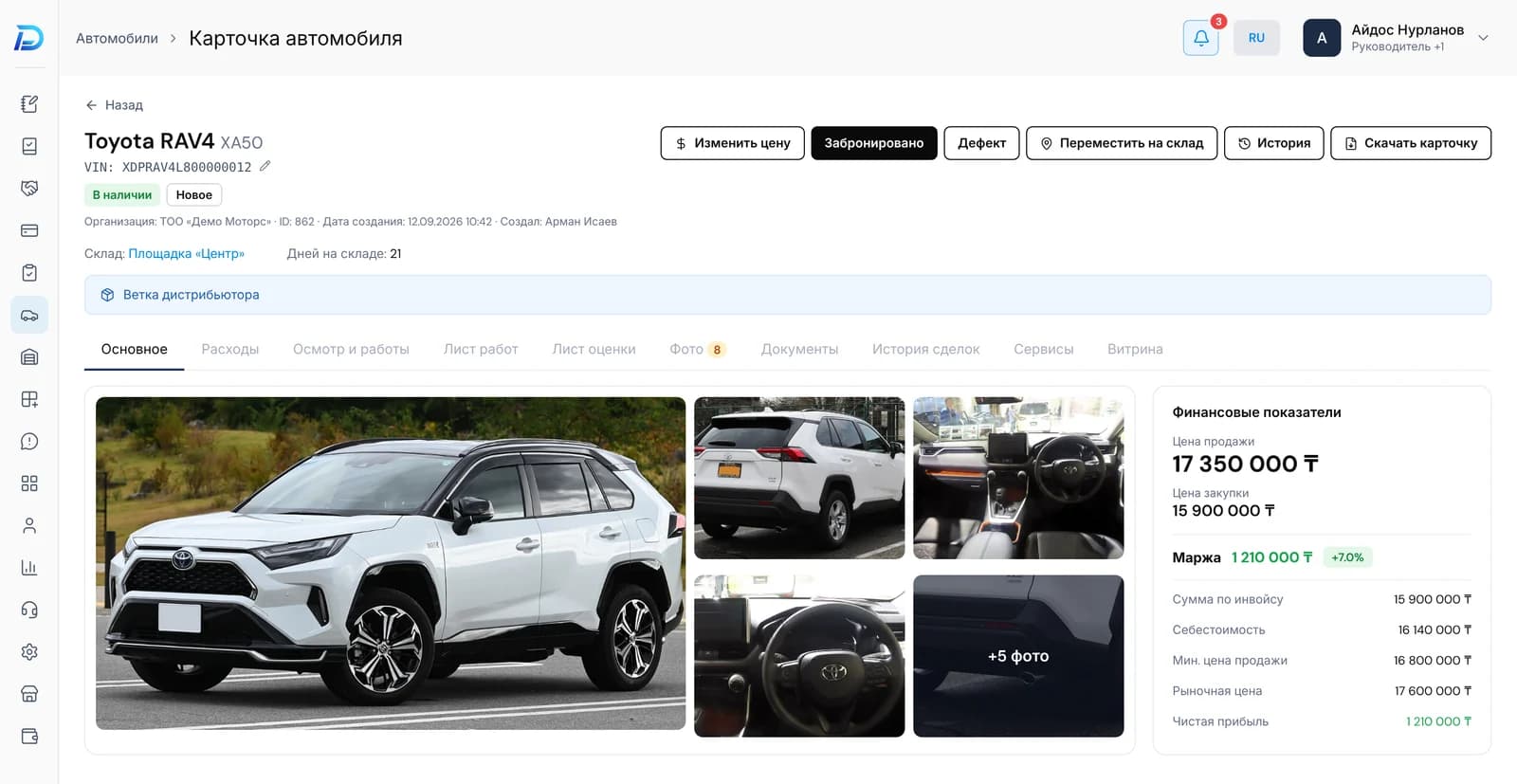
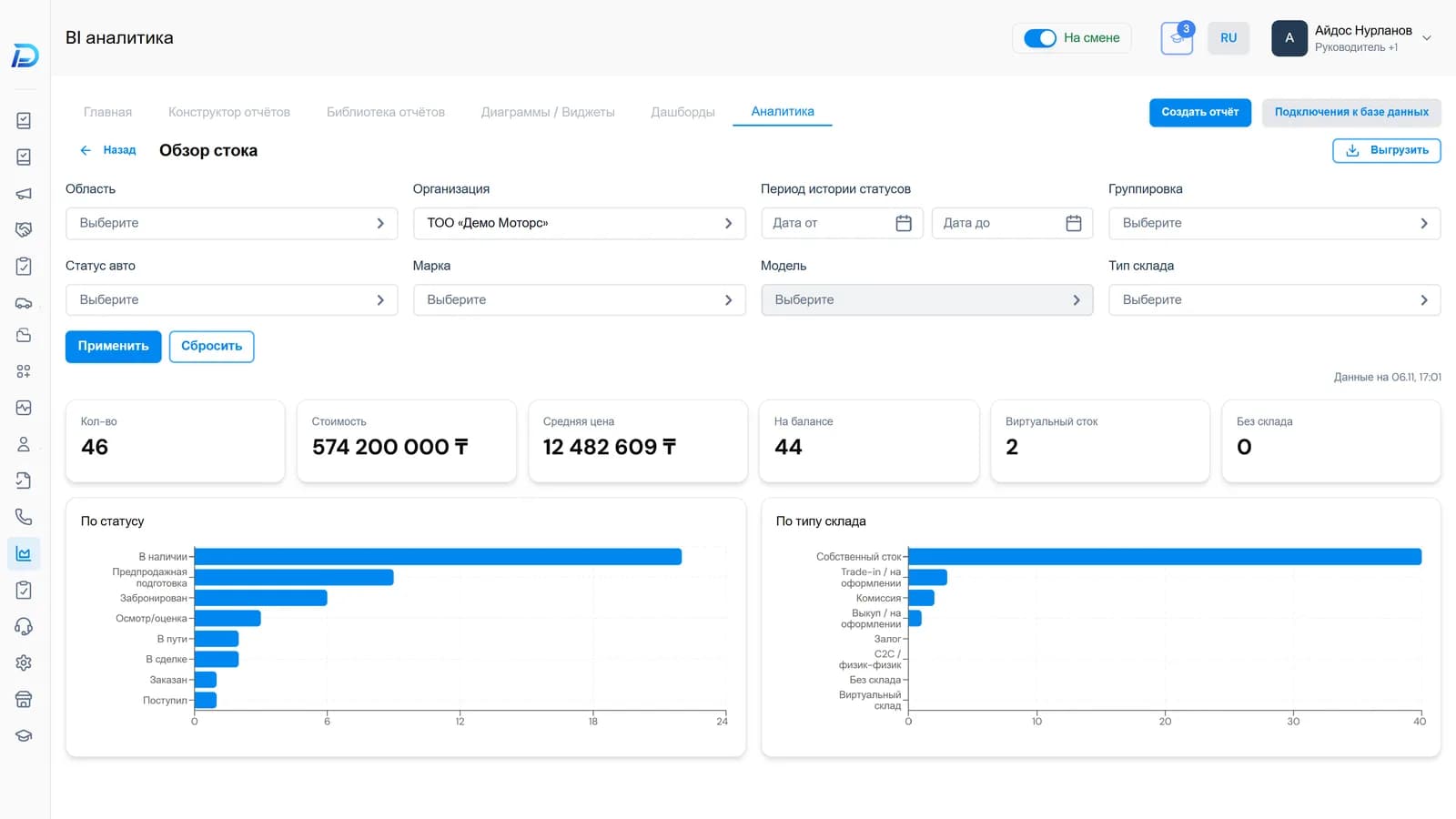
In Excel a car is a row. In DealerPro it's a card that holds everything: where it came from, what was done to it, what it cost you, which documents and photos there are. The salesperson doesn't need to call the lot to find out whether the car is ready to be shown.
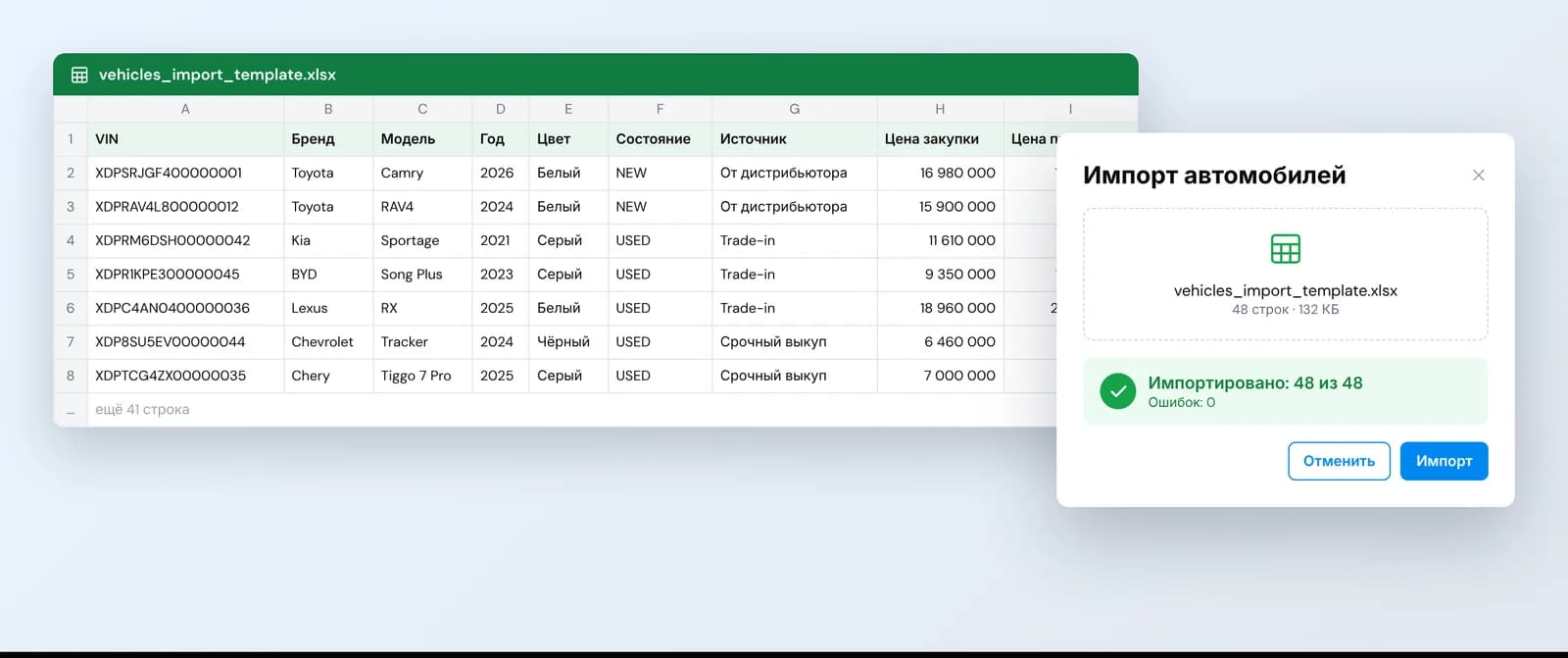
Stock — from Excel in one go
Download the template, enter your current cars and upload the file. Your entire stock will be in the system, without entering each card by hand.
Where the car came from
Buyout, trade-in, consignment, your own import, a distributor delivery, or a demo card as a sample for ordering. The source determines the statuses the car goes through and the checks at each transition.
Warehouses and lots
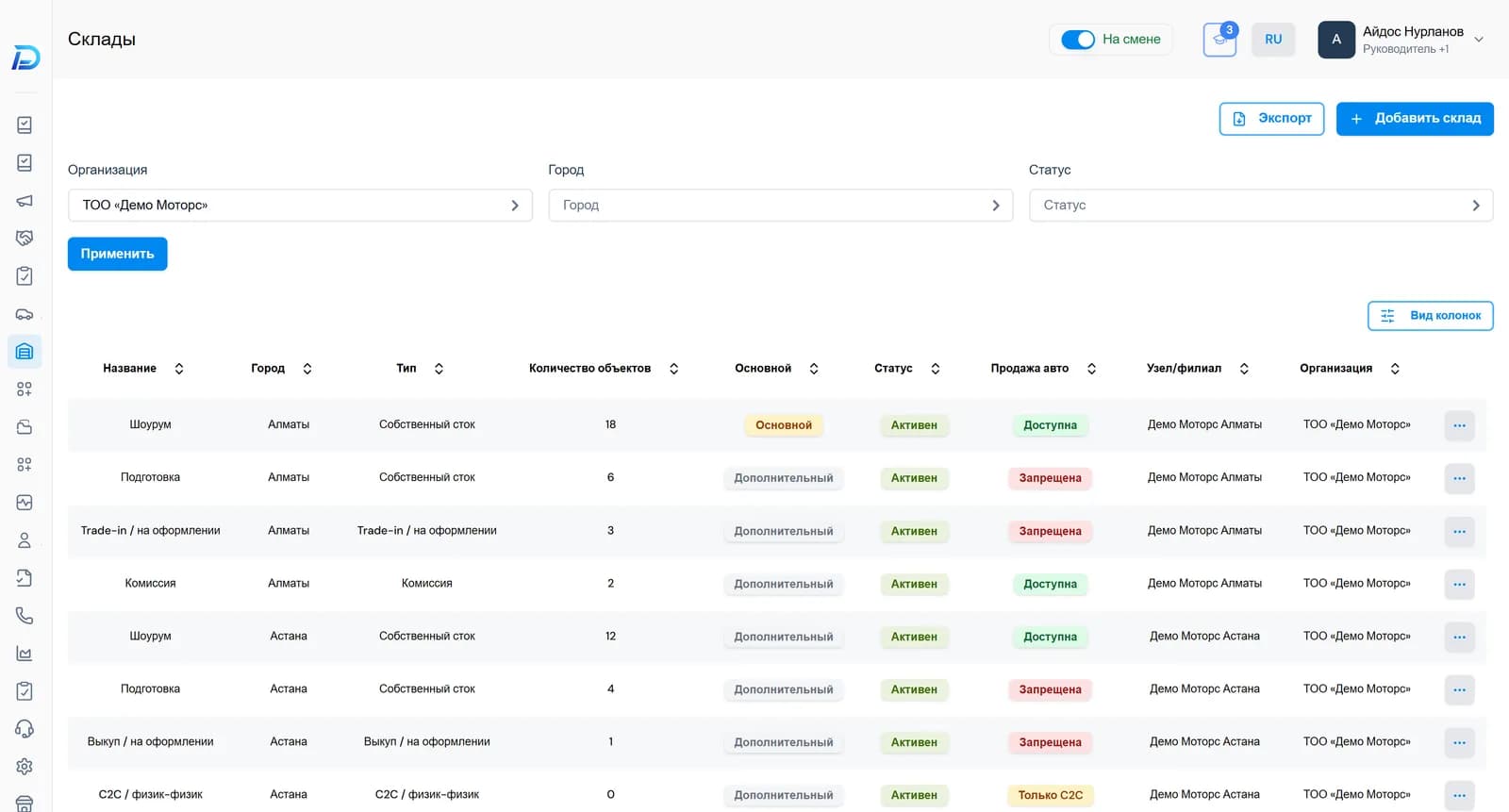
Create warehouses for categories or preparation stages within each sales point. The warehouse determines whether a car is available for sale — a salesperson won't promise a customer a car that's still being repaired.
Inspection and appraisal — from a phone
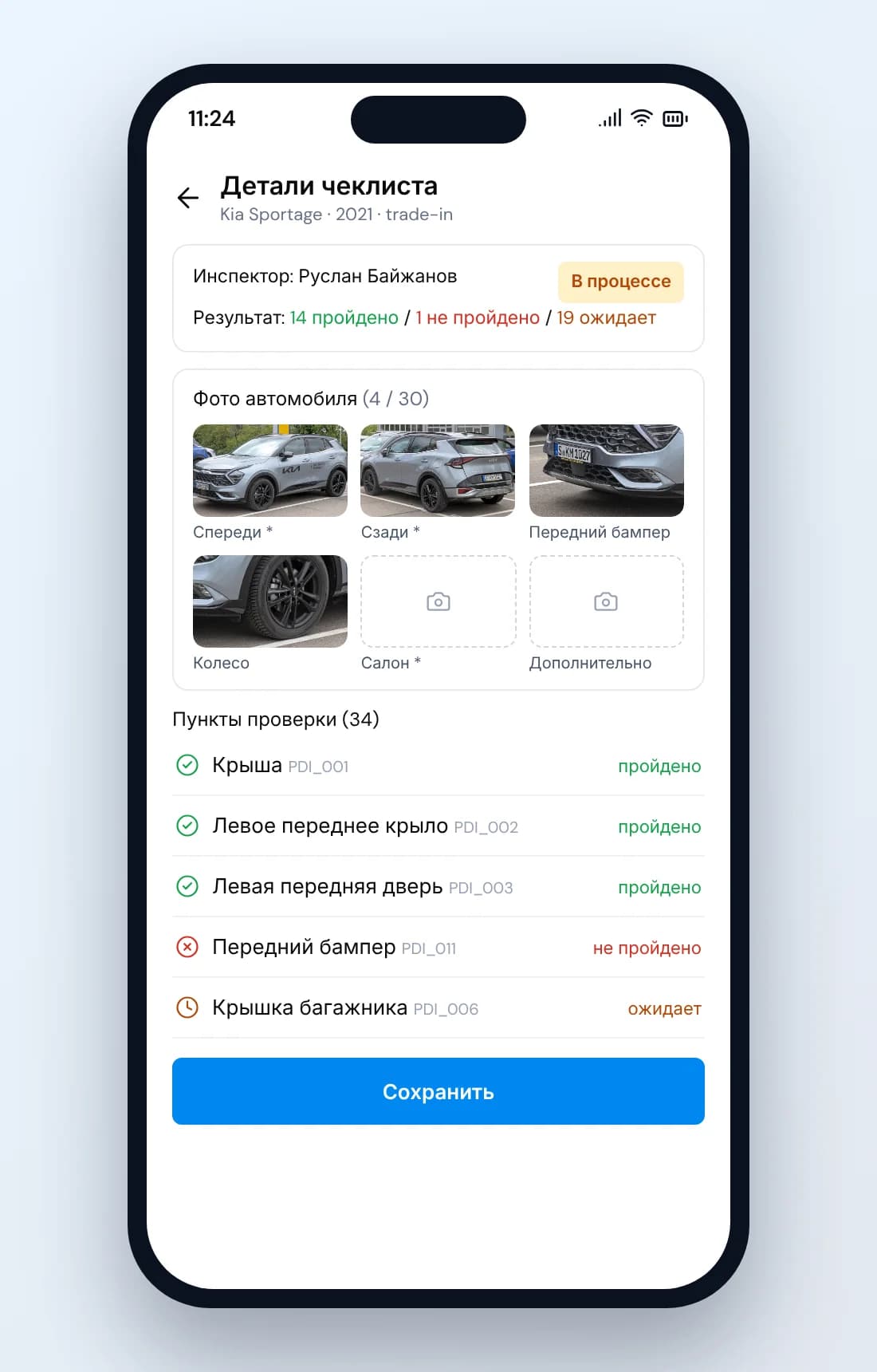
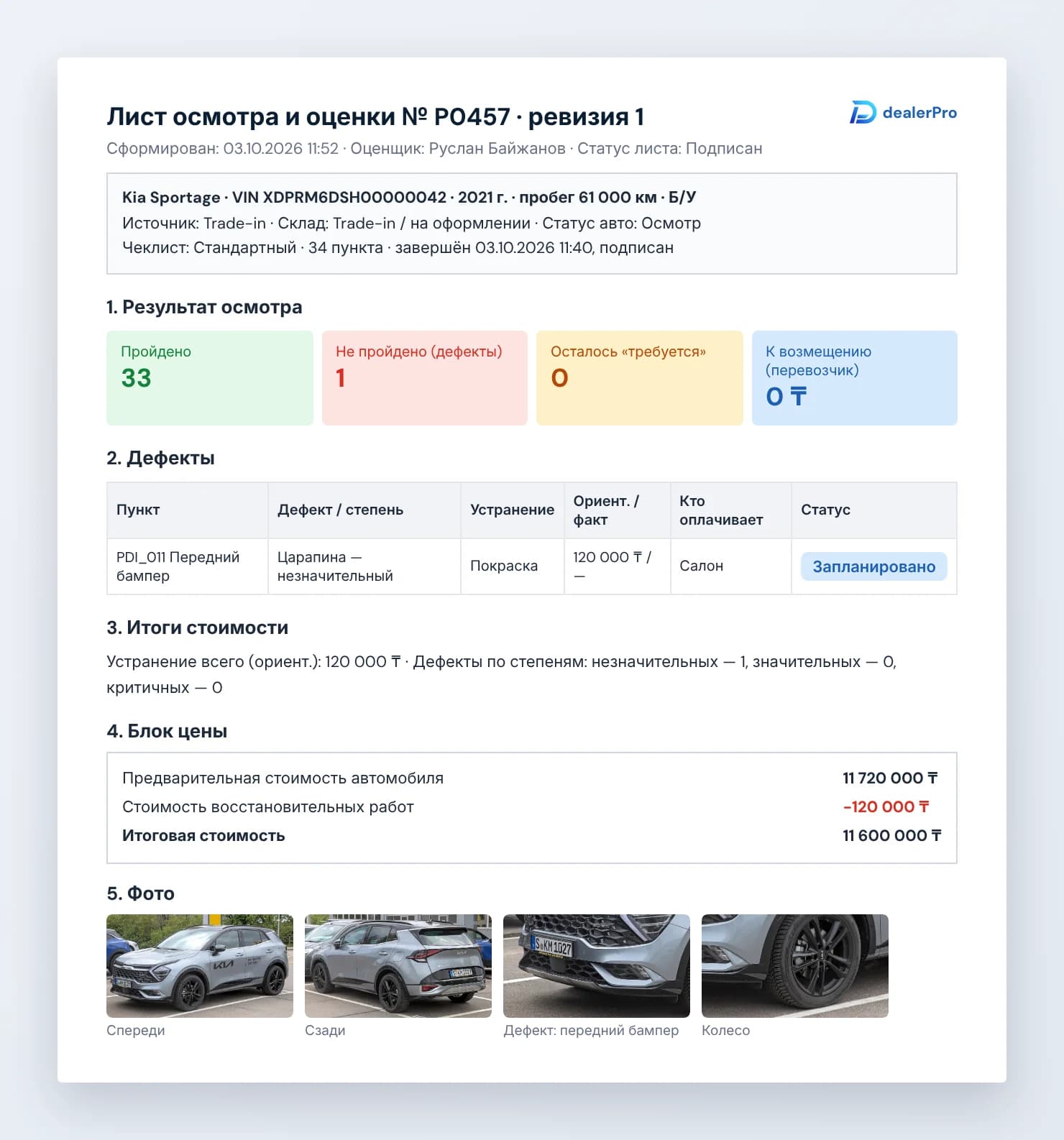
The inspection is done in the mobile version, step by step. The result is a digital report you can export and show to the customer or the manager.
Vehicle history and average price
You can check a car's history right from the system. DealerPro calculates the average market price automatically — a handy starting point for buying and selling.
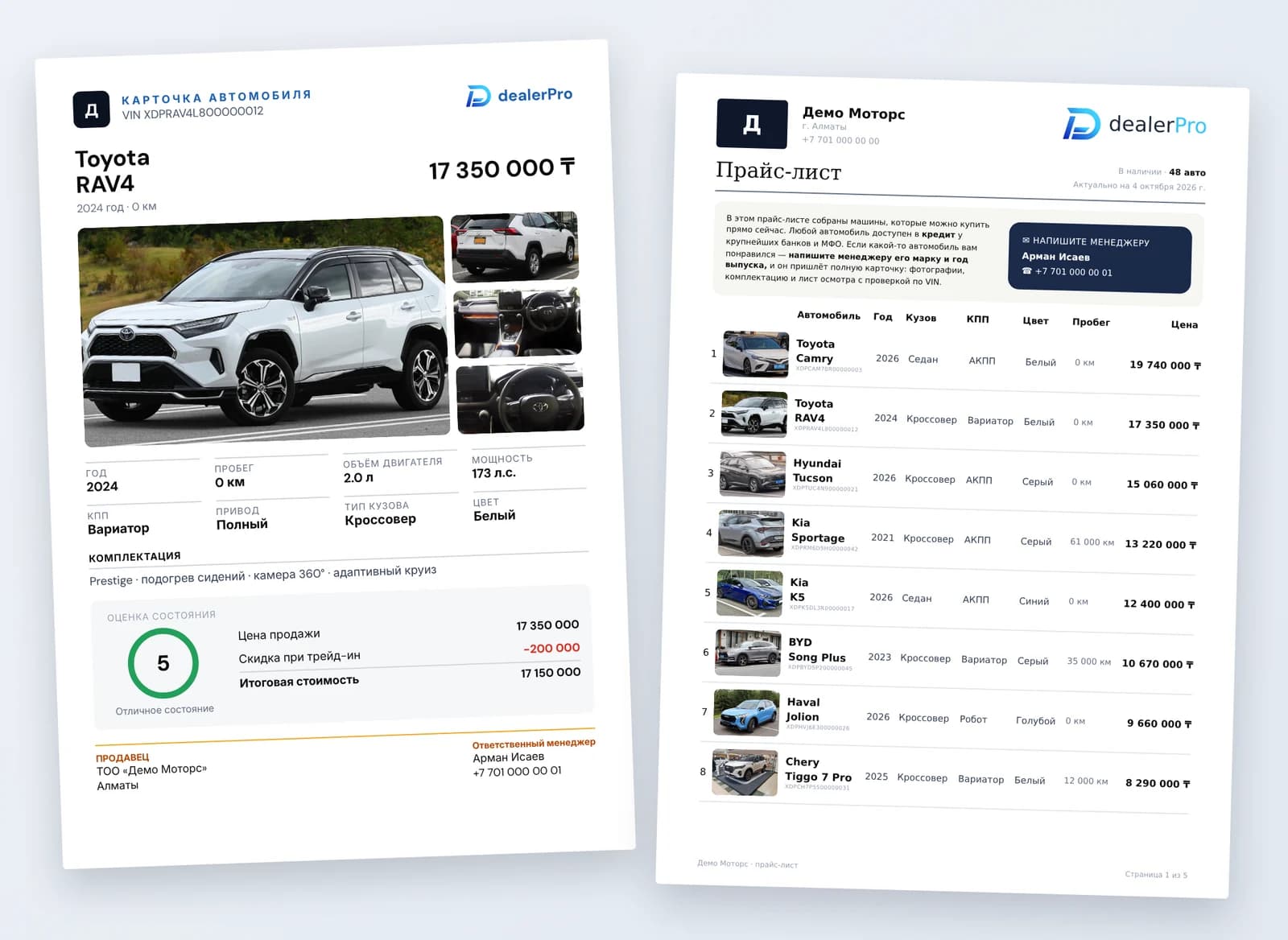
Car card and price list — in PDF
Export a car card with the key information or a price list of the entire stock and send it to the customer on WhatsApp.
Everything about the car — in one place
History, photos and documents are stored in the card and don't get lost when the salesperson changes.
Questions
Related sections
Cost and margin
Every expense is recorded against a specific car. Each one has a financial report with its margin.
Learn moreShowcase
A dealership page with your cars and a request form. A request from it becomes a lead right away.
Learn moreDeals
Sale, trade-in, consignment, import to order. Stages with checks, contracts from your own templates, a loan request straight from the card.
Learn moreSee your stock in DealerPro
Bring a list of your cars to the demo — we'll show how it will look in the system.